

[Skip navigation links]

The Useful and Best Widgets for Android!

Android logo
Android
The Best and Most Useful Android widgets to improve your Android home screen experience
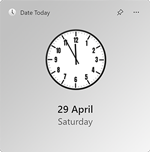
Date Today for Android Preview of the Date Today widget for Android
Date Today app icon
Date Today
See the current time and month calendar at a glance on your home screen.
For Android
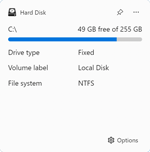
Hard Disk for Android Preview of the Hard Disk widget for Android
Hard Disk app icon
Hard Disk
Check how much free storage space you have with just a glance.
For Android
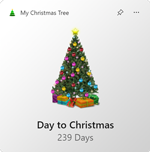
My Christmas Tree for Android Preview of the My Christmas Tree widget for Android
My Christmas Tree app icon
My Christmas Tree
Display a Christmas tree on your home screen and count down the days until Christmas.
For Android
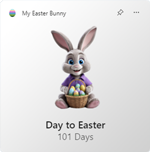
My Easter Bunny for Android Preview of the My Easter Bunny widget for Android
My Easter Bunny app icon
My Easter Bunny
Countdown when it is Easter with a cute Easter Bunny on your home screen.
For Android
My Halloween for Android My Halloween app icon
My Halloween app icon
My Halloween
Countdown until it is Halloween with a spooky pumpkin on your home screen.
For Android
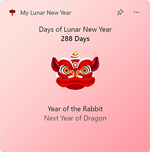
My Lunar New Year for Android Preview of the My Lunar New Year widget for Android
My Lunar New Year app icon
My Lunar New Year
Decorate for a Good Luck year on your home screen.
For Android
Sunrise for Android Sunrise app icon
Sunrise app icon
Sunrise
See your personal greeter of the day on your home screen.
For Android

Android Widgets

Welcome to my Android widgets page! As an Android user, your home screen is the first thing you see when you pick up your phone. That is where my widgets come in. Each widget is designed to give you useful and delightful information at a glance, right on your Android home screen.

Widgets are small, customizable panels that you can place on your Android home screen for quick access to information, tools, and more. Whether you want to check the current date and time, see how much storage space is left, or count down to Christmas, Easter, Halloween, or Lunar New Year, there is a widget for that.

To get started, simply tap on one of the widgets above to learn more about it. Each app page includes a download link to the Google Play Store, where you can install the app and then long-press on your home screen to add the widget. All of my widgets are regularly updated to ensure compatibility with the latest Android releases, and they work on Android 7.0 or later.

On a different platform? Take a look at my widgets for iOS, my widgets for macOS, or my widgets for Windows 11, with free and premium widgets for every device you own.