Introducing the My Feed Reader app. With this app, you can easily add your favorite news sites, blogs, and newsletters all in one convenient application. Stay organized and up-to-date by accessing all your content in a single place. That is available for Windows.
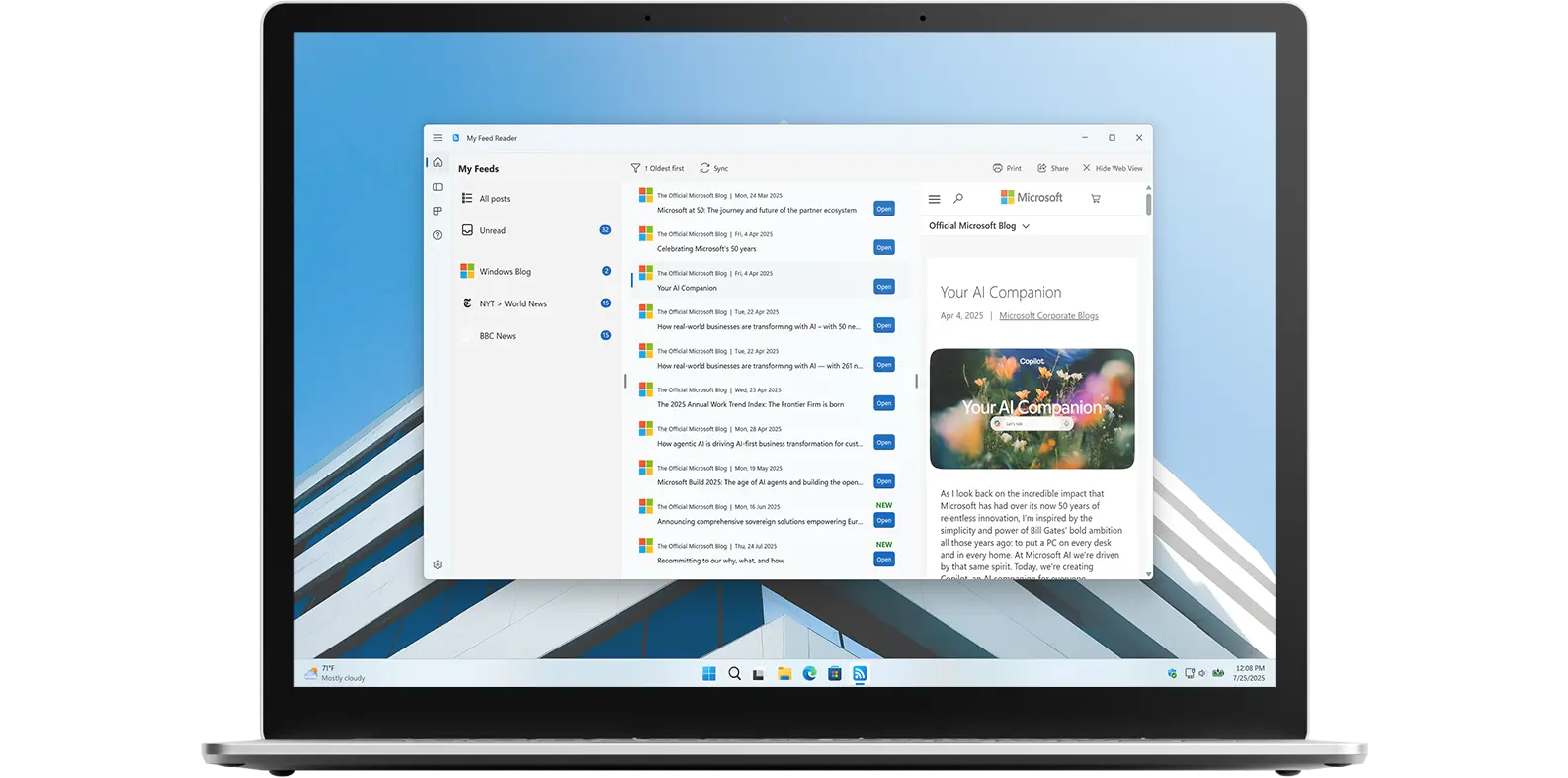
Stay up-to-date with the latest news, trends, and information.
My Reed Reader is a must-have application and widget is the perfect tool for staying updated on the latest news, trends, and information. With its customizable interface, wide range of sources, real-time updates, and ease of use, it is the ideal way to keep track of everything that is important to you. Whether you are a busy professional or just someone who wants to stay informed, My Feed Reader app is the perfect solution.
The user interface is clean and straightforward, making it easy to add or remove news sources. Customize both the app and widget to match your personal style. Quickly and easily read your favorite news channels, websites, blogs, and social media feeds, all from your Windows computer.
Have questions about the My Feed Reader app? Check out our FAQ section below for answers to common queries. If you need further assistance, feel free to contact our support team.
My Feed Reader is a customizable RSS reader application, designed for Windows 11 users. It allows you to consolidate and read your favorite news sites, blogs, and newsletters in one convenient application, accessible both as a standalone app and a widget on your desktop.
My Feed Reader’s installation limits depend on the platform and licensing:
A Microsoft Store purchase can be installed on multiple Windows machines, up to 10 devices per Microsoft account.
Yes! My Feed Reader lets you personalize your RSS feed experience on Windows 11. You can adjust themes, choose list or grid views, change font sizes, and organize feeds with categories. Desktop and widget integration make it easy to access your news exactly how you like it.
Adding your first RSS feed in My Feed Reader is simple. Open the app on Windows 11, go to the Settings tab, find the RSS Feed section, and enter the URL of your favorite website, blog, or news source.
No, My Feed Reader does not impose a strict limit on the number of RSS feeds you can add. You can subscribe to as many websites, blogs, and news sources as you like.