
Table of Contents
Introduction
Google launched Modern Web Guidance at Google I/O 2026. Modern Web Guidance is a set of skills that embeds web platform expertise, best practices, and browser compatibility data directly into your coding agents.
It also includes skills for building Chrome extensions from the ground up and optimizing your current code base.
As a beginner browser extension developer, I will provide some useful information about using Artificial Intelligence (AI) as a helpful assistant and making your browser extension work on all major web browsers, including Google Chrome, Firefox, Opera, Microsoft Edge, and Apple Safari. This guide will help you understand how AI can be used in browser extension development.
AI Coding
Artificial intelligence (AI) agents are becoming increasingly common, and they are already being used in software development and code generation.
What is an AI Agent?
Here is what Google says:
AI agents are software systems that use AI to pursue goals and complete tasks on behalf of users. They show reasoning, planning, and memory and have a level of autonomy to make decisions, learn, and adapt.
An AI agent is an autonomous software system that uses artificial intelligence to perceive its environment, make decisions, and act independently to achieve a specific goal. Unlike basic chatbots that only respond to prompts, agents can plan, use tools, and iterate on tasks with minimal human intervention.
What is an AI Model?
An AI model is the “brain” that understands your requests and takes action. You can choose from different models such as GPT-5, Claude Sonnet 4.6, Gemini 3.5 Flash, SW-1.6, xAI Grok-3, and others.
What are AI skills?
Skills are like folders that contain instructions, scripts, and resources. Your AI code editor can load them when needed to perform specific tasks more effectively.
They help the editor complete certain jobs in a consistent way. For example, they can guide it to:
- Create documents that follow your company’s style
- Analyze data using your organization’s methods
- Automate personal tasks
In short, skills teach the AI how to handle specific tasks step by step so it can repeat them reliably.
What Is Prompting?
Prompting is the process of giving instructions to your AI agent. You use natural language to tell the agent what it should do. What you type into the text box, how clearly you describe the problem, and how precisely you explain the desired outcome all affect the quality of the results.
The more detailed and specific your instructions are, the better the AI can understand the task and modify only the relevant parts of your code without making unnecessary changes.
Modern Web Guidance
Google introduced Modern Web Guidance at Google I/O 2026. It is a set of skills that embeds web platform expertise, best practices, and browser compatibility data directly into your coding agents.
Modern Web Guidance is an initiative from the Google Chrome and Microsoft Edge teams that embeds expert web development best practices directly into AI coding agents. It prevents AI from generating outdated JavaScript patterns by guiding them toward native HTML, CSS APIs, and tailored browser support.
https://github.com/GoogleChrome/modern-web-guidance
It is very easy to install in code editors that support Skills, such as Visual Studio Code, Cursor, Claude, Devin, and others. Just paste the following command into your terminal and follow the instructions to add these skills to your editor:
npx modern-web-guidance@latest installAre Skill Files Automatically Updated?
No. However, you do not need to update them every day while working on a Chrome extension. If you want to update them manually, use the following command:
npx modern-web-guidance@latest updateSkills Walkthrough
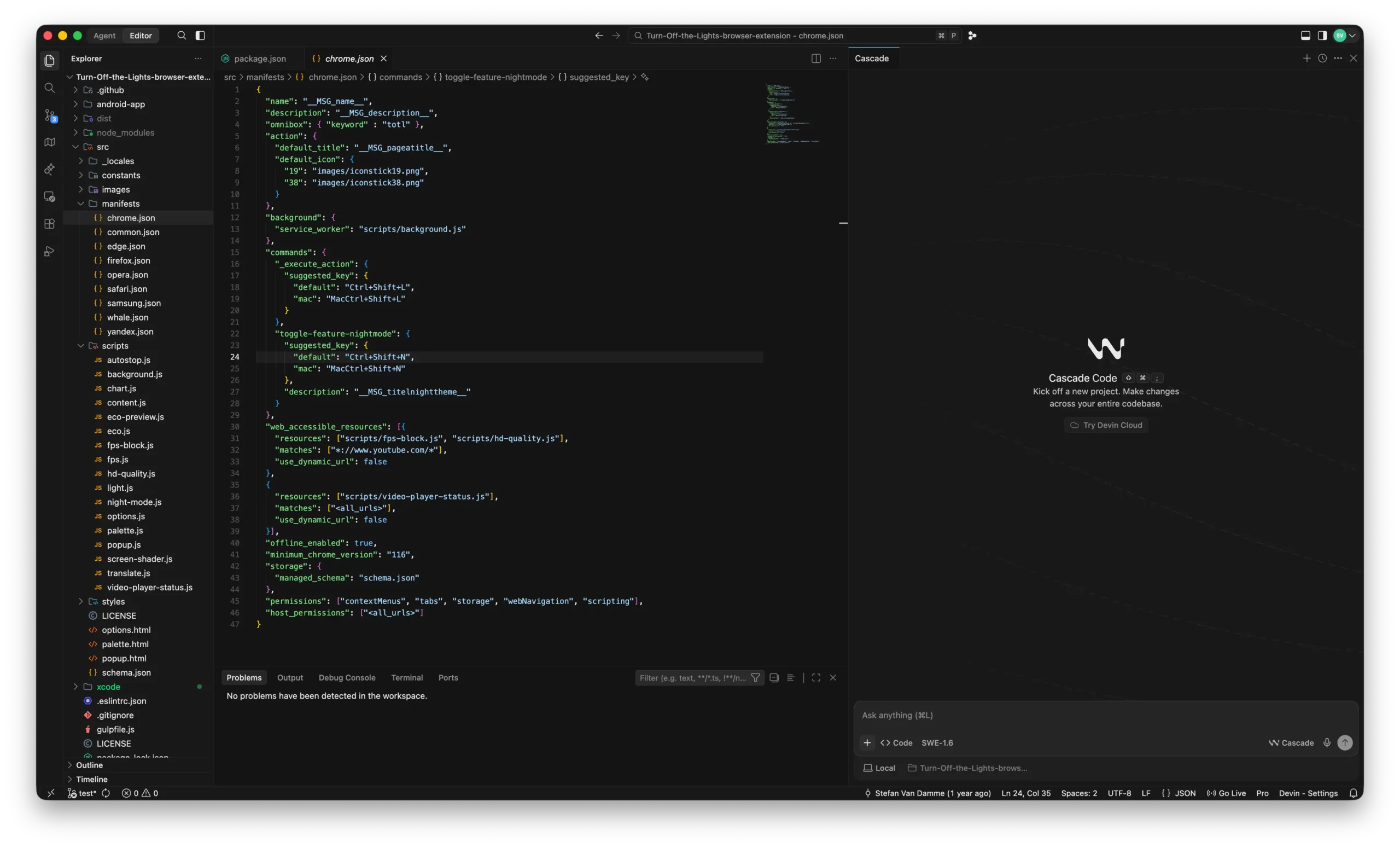
I am using the Devin code editor application in my screenshot, with the open-source Turn Off the Lights browser extension project open as a work project. When the chat panel is open, click the plus icon to open the menu. Here, you can upload an image to help explain a task or trigger a workflow. For this example, click “Mentions”.
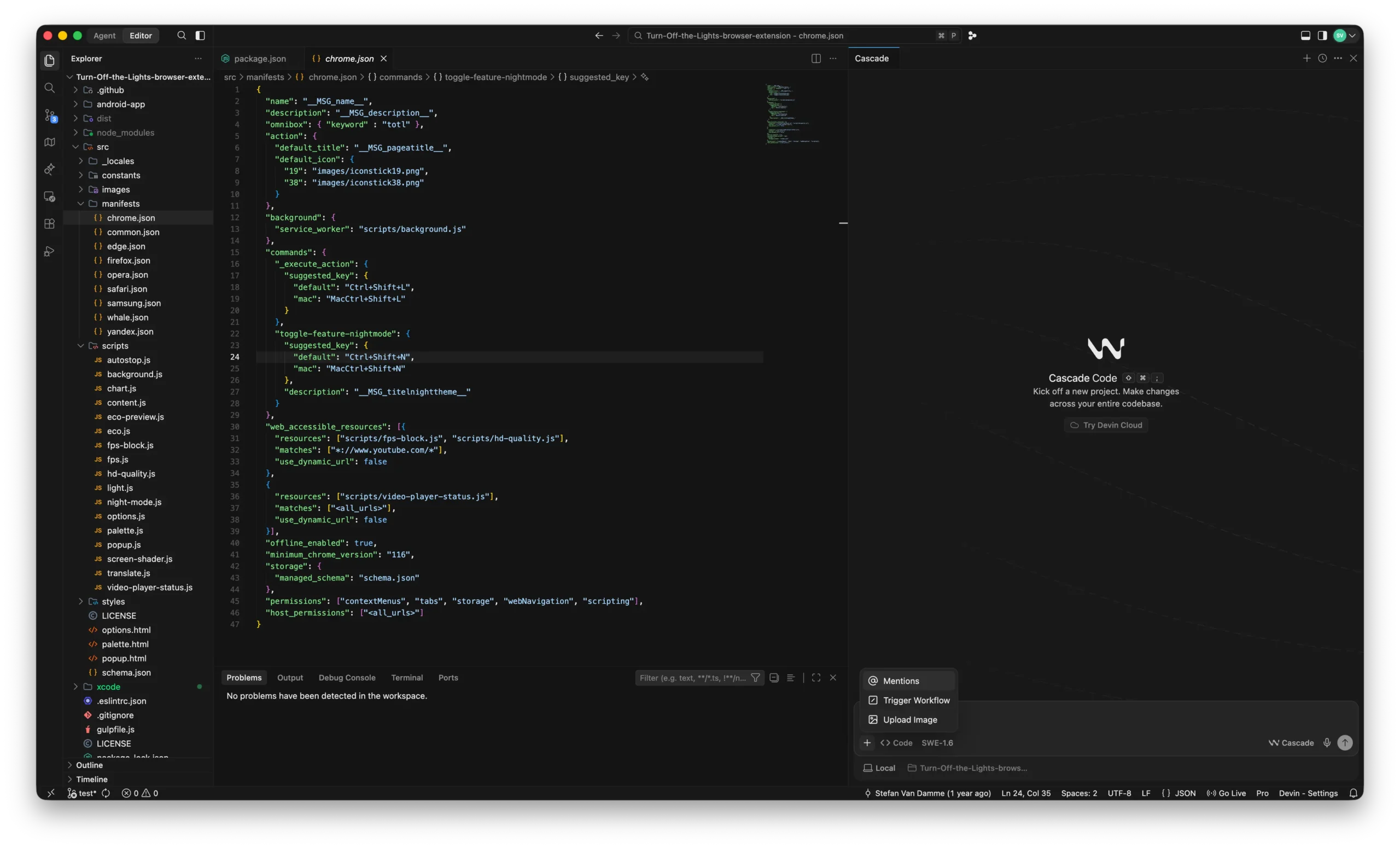
Now select “Skills” from the menu to choose a specific area of expertise.
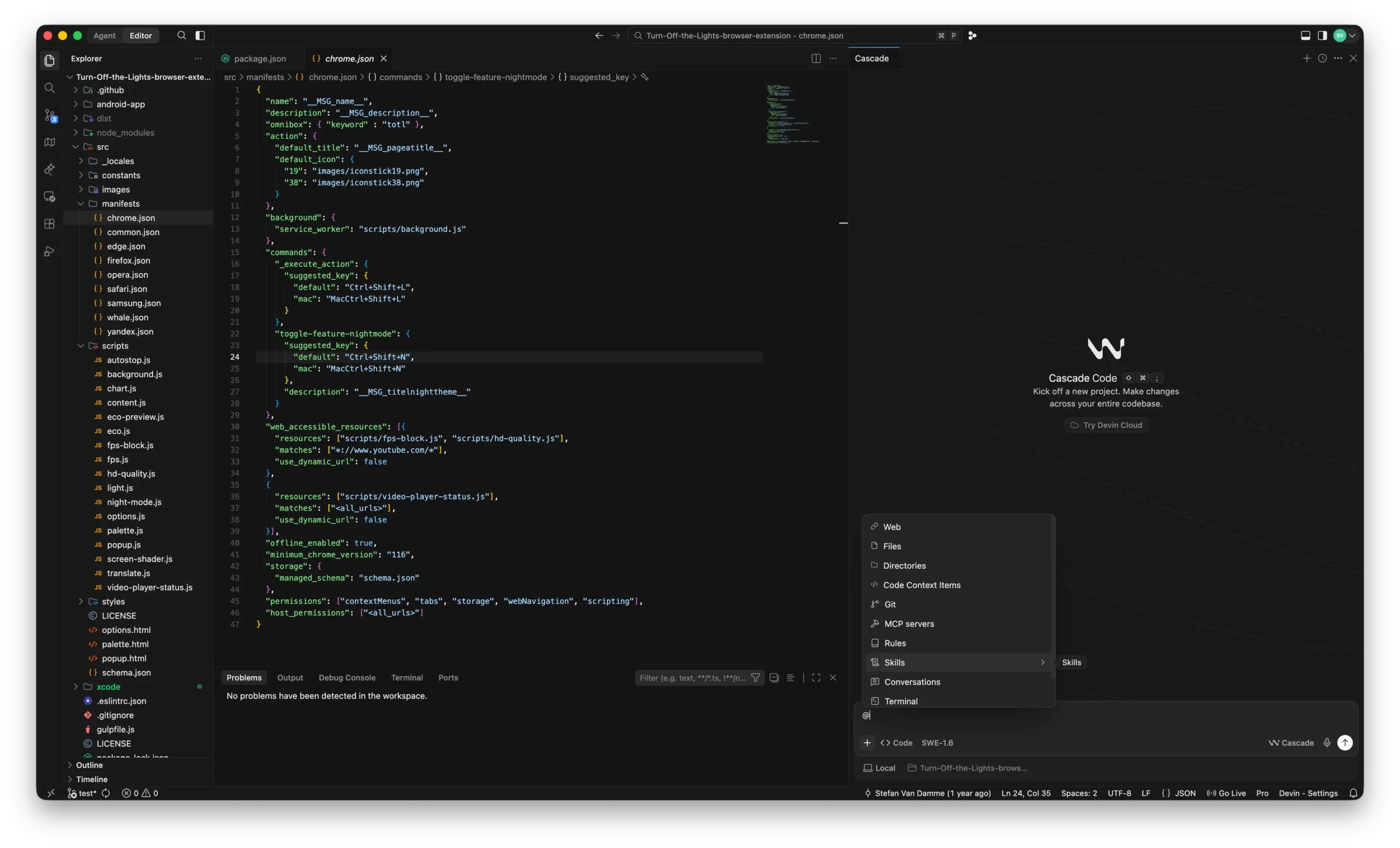
If you have many skills installed, you may see a long list of available skills depending on your project and task. In this example, we will select the “chrome-extension” skill. This skill helps improve a browser extension project using the guidelines included in the skill package.
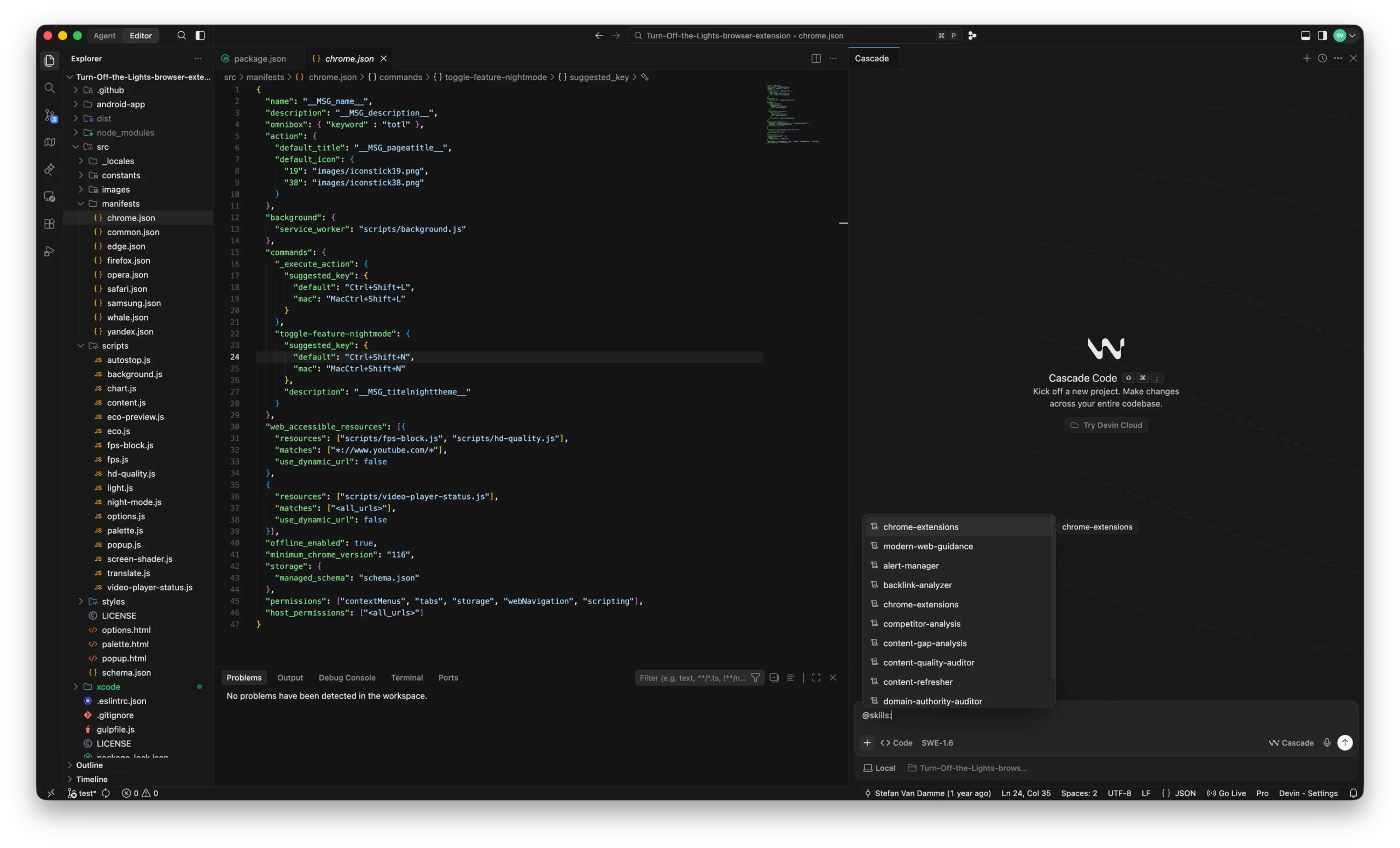
Now here is one prompt you can use:
Do an audit of my extension
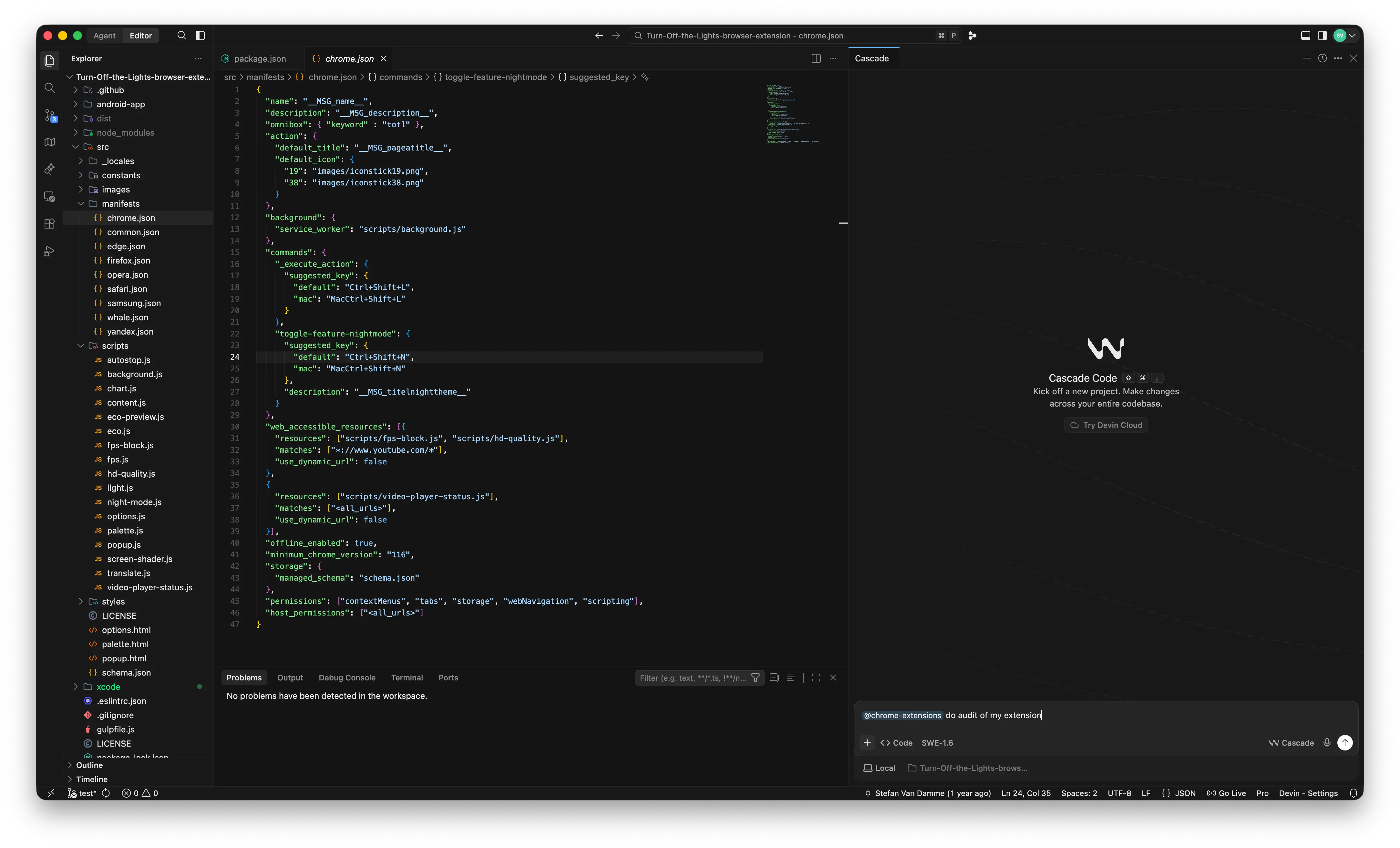
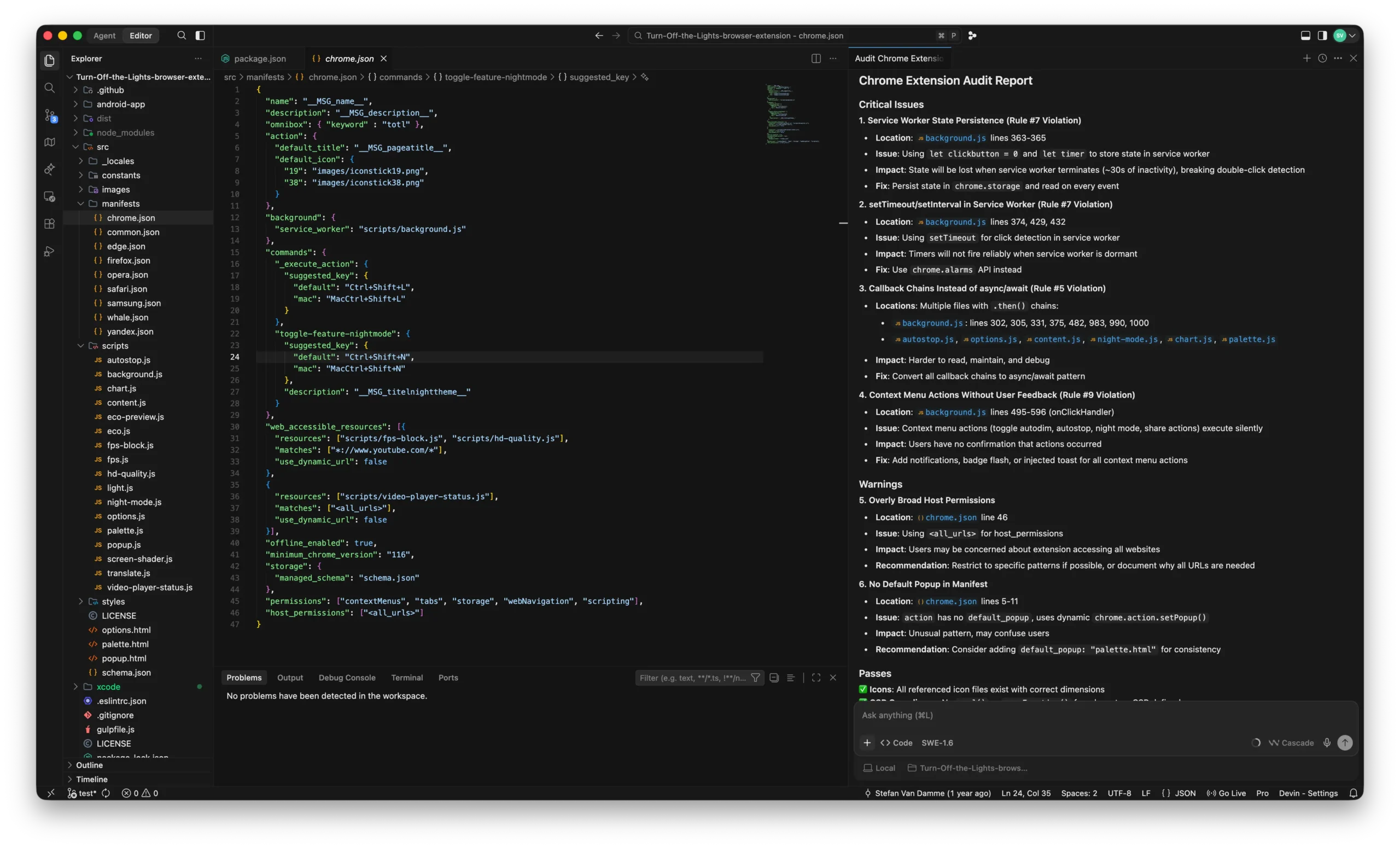
When you press Enter or click the arrow button, the editor will execute the task and use the selected skill as a guideline. You will then receive a list of suggestions and recommendations.
They Are Suggestions, Not Requirements
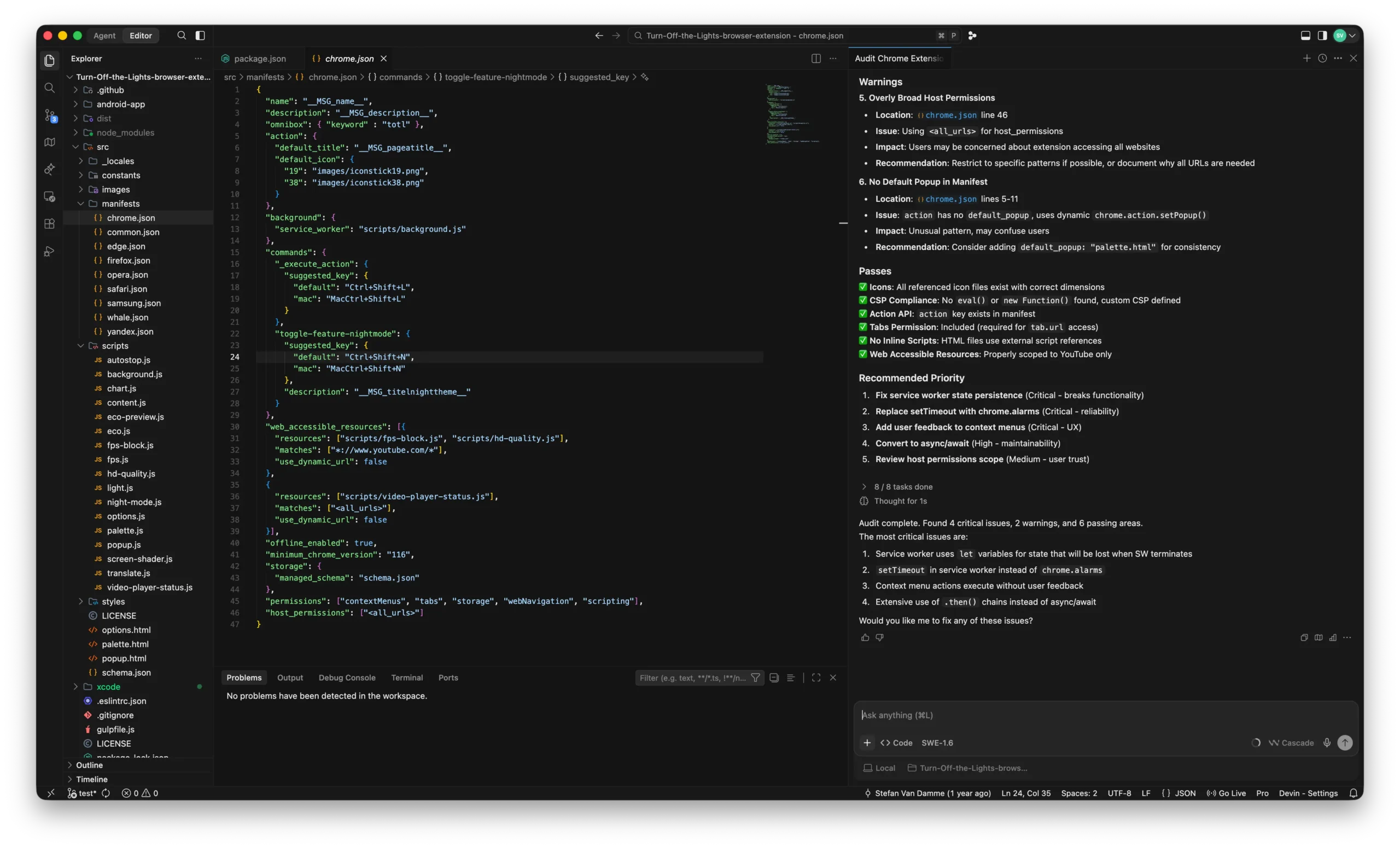
However, these are suggestions rather than strict requirements. For example, my audit report suggested that I add a "popup" entry to the manifest.json file.
For the Turn Off the Lights browser extension, a single click on the toolbar button dims the webpage, while a double-click opens the mini settings panel. Adding "palette.html" as the popup would change this behavior and break the existing double-click functionality, effectively turning it back into a single-click action.
The audit report also recommends replacing all setTimeout() calls with the chrome.alarms API. However, this is not feasible for the double-click detection logic, which relies on a 250 ms timeout. The chrome.alarms API only supports delays in minutes and is therefore unsuitable for handling short-duration interactions such as double-click detection.
Does It Also Work for Firefox and Safari Extensions?
In practice, yes. Most APIs are available in Firefox because it supports the WebExtensions standard. Safari also supports many WebExtensions APIs, although some platform-specific differences may require additional adjustments.
Resources
- GitHub Modern Web Guidance
- Google Developer Documentation Modern Web Guidance
- Google Cloud – What Are AI Agents
Conclusion
You should now have a basic understanding of what an artificial intelligence agent is and how it can help improve your Chrome extension development workflow.
By using Modern Web Guidance and the Chrome extension skills, you can receive suggestions that help improve code quality, performance, privacy, and overall development practices while following the latest web standards and guidelines.
If you found this guide useful and want to support the ongoing development of free and open-source browser extensions, consider making a small contribution. Every contribution helps make the web a better place for everyone.
