Table of Contents
Aurora Player WinUI3 is here, and it is the biggest update in the history of my video player app. I rebuilt the Windows version from the ground up. The old app ran on WinJS, the JavaScript framework Microsoft introduced for Windows 8 apps. The new version is a true native Windows 11 app, built on WinUI 3 and the Windows App SDK. Here is what changed, and why it matters.
From WinJS to WinUI 3
Back in the Windows 8 era, WinJS was the modern way to build apps. It let me create the original Aurora Player with web technology I already knew. But time moved on. WinJS stopped evolving, Windows 8 faded away, and the app could not use the new Windows 11 features my users kept asking for.
WinUI3 is Microsoft’s current framework for desktop apps. It gives me native controls, Fluent Design, and direct access to the Windows App SDK. Rewriting the app was a big job, but the result is worth it: Aurora Player now looks, feels, and performs like a real Windows 11 citizen.
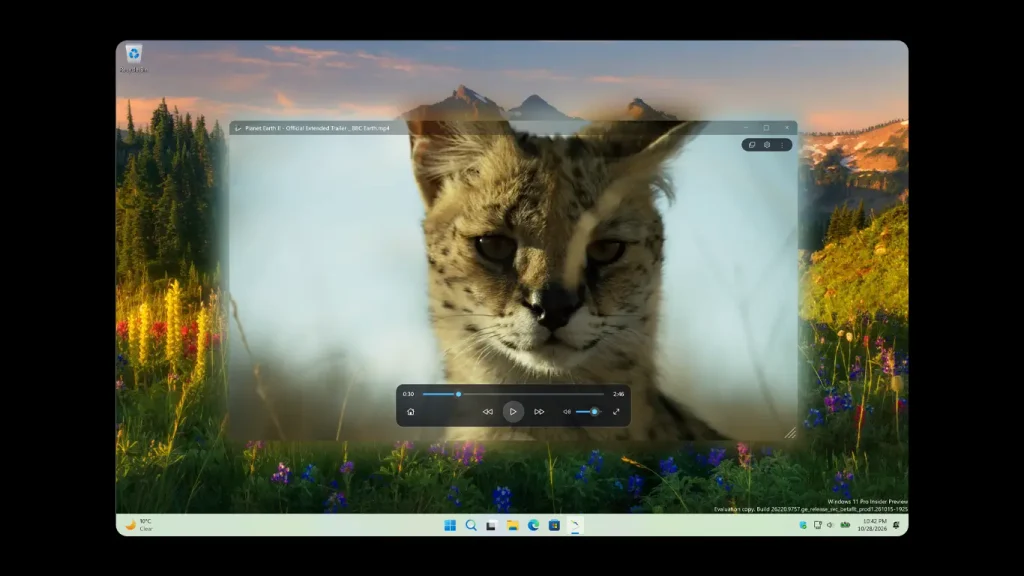
5 powerful upgrades in this update
1. A fresh Fluent Design interface. The whole interface now uses native WinUI 3 controls, with Mica material, smooth animations, and proper light and dark mode that follows your Windows theme.
2. Faster startup and playback. The native rewrite launches faster and plays video more smoothly. The realistic glow effect around the video, the signature feature of Aurora Player, reacts in real time without the overhead of the old JavaScript layer. Aurora Player WinUI3 now also supports a sidebar with video filters, allowing you to adjust brightness, contrast, gamma, hue, and saturation in real time.
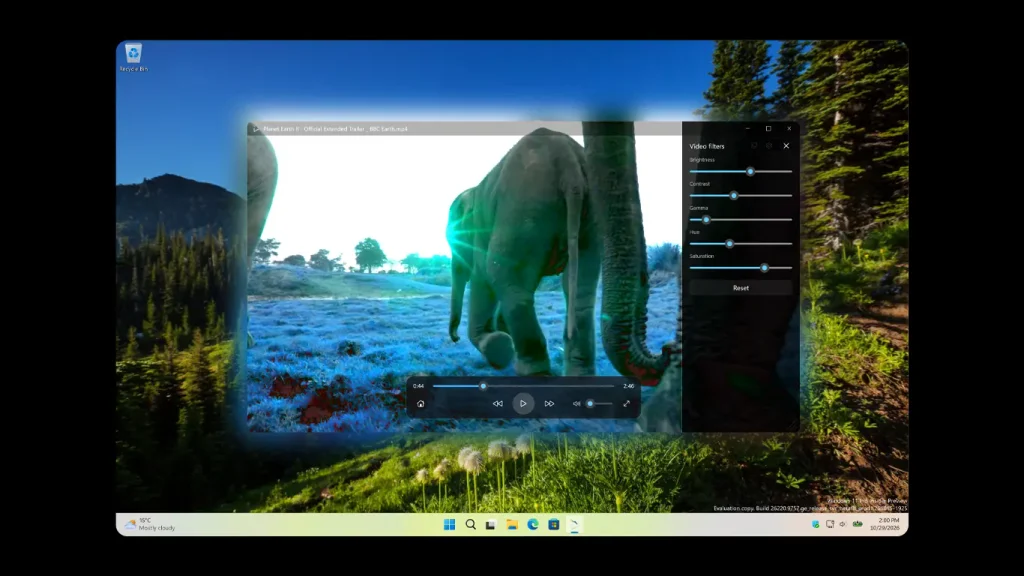
3. Improved window and expanded video player support. WinUI 3 brings modern windowing support, while double-clicking the video player expands the video to an almost full-screen view, with the glow effect visible against a black background. Double-click again to return to the regular view.
4. Deep Windows 11 integration. The app now connects cleanly with the Microsoft Store, file associations, and the modern open-with dialogs. And support for the Windows 11 widget.
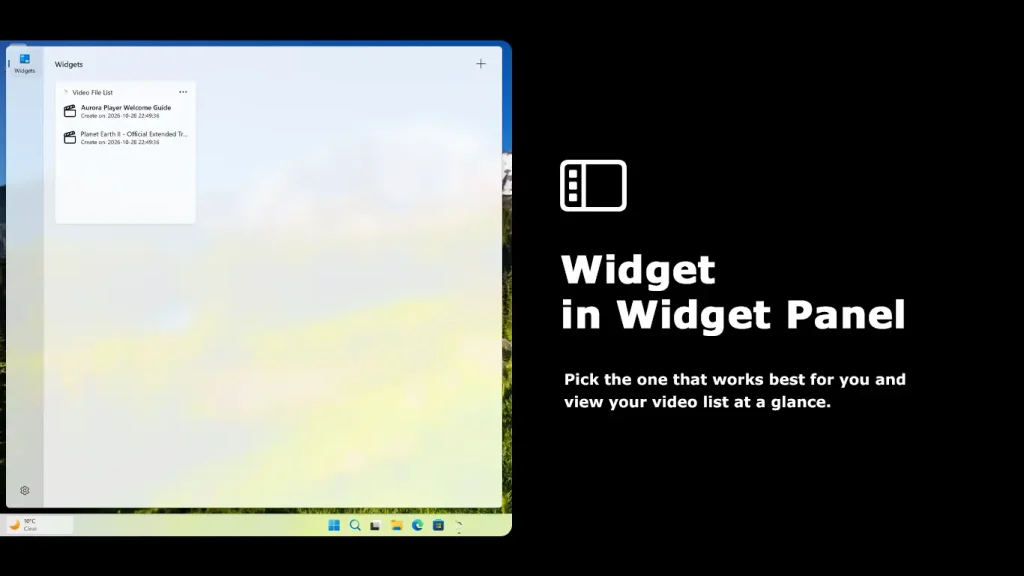
5. A codebase ready for the future. WinUI3 is actively developed by Microsoft. New Windows features can now reach Aurora Player quickly, instead of being blocked by a retired framework.
What stayed the same
The heart of the app did not change. Aurora Player WinUI3 still plays your videos with that warm, ambient glow that extends beyond the screen, the idea that grew out of the Atmosphere Lighting feature in my Turn Off the Lights browser extension. And it still supports the same wide list of file types, from MP4 and MKV to WebM and HEVC.
Download the new Aurora Player WinUI3
If you are new to the app, this is the perfect moment to try it. Download Aurora Player for Windows 11 and turn your next movie night into a cinema experience. Thank you for supporting my work over the years, from the WinJS days on Windows 8 to this native release on Windows 11. I am excited to hear what you think of the new glow.
