Table of Contents
Android app users, this one is for you. For a long time, my apps were only available on the iPhone and iPad. I got a lot of messages asking, “When will this come to Android?” Today I am happy to say the wait is over. I have brought my iOS apps to Google Play Store, so you can enjoy them on your Android phone or tablet too.
Why I decided to build an Android app version
I started as an iOS developer, and I love the Apple ecosystem. But I kept noticing the same thing: friends, family and visitors of this blog use Android. Billions of people worldwide do. Keeping my apps limited to one platform meant leaving a large audience behind.
So I took the ideas that already worked on iOS and rebuilt them for Android. This is not just a copy-paste job. Each Android app is designed to feel natural on the platform, with the layout, behavior, and performance that Android users expect.
What I learned along the way
Building an Android app after years of iOS work taught me a lot. The tools are different, the design language is different, and even the way users discover apps is different. Google Play Store has its own rules, its own review process, and its own audience.
Still, the core of each app is the same: simple, focused, and useful. I believe a good app should do one thing well, without clutter or complicated menus. That philosophy carried over perfectly from iOS to Android.
My Android app collection
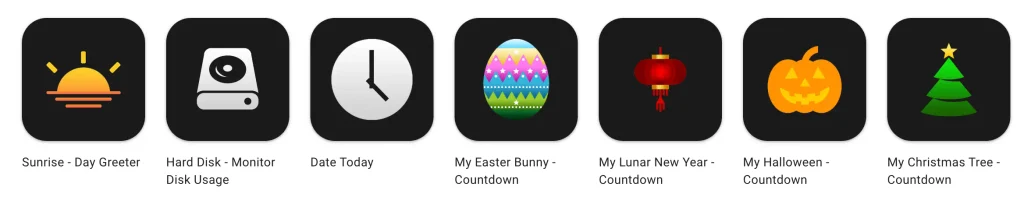
Here are the apps you can download today.
- Sunrise – Day Greeter: start your day with a friendly greeting.
- Hard Disk – Monitor Disk Usage: keep an eye on your storage and see how much space you are using.
- Date Today: see today’s date at a glance, quickly and clearly.
- My Easter Bunny – Countdown: count down the days until Easter.
- My Lunar New Year – Countdown: get ready for the Lunar New Year celebrations.
- My Halloween – Countdown: follow the countdown to the spookiest night of the year.
- My Christmas Tree – Countdown: build the excitement before Christmas.
Why choose my apps?
The countdown apps are especially popular around the holidays. Whether you are waiting for Easter, Halloween or Christmas, a small countdown on your screen adds a bit of fun to the days leading up to the event. If you want useful tools on your device, you can get Hard Disk to monitor your storage, and Date Today to show the current date and time as a widget on your home screen.
What is next?
This is only the beginning. Now that my Android app releases are live, I plan to keep improving them based on your feedback. If you have an idea, a bug report or a feature request, please let me know. Your input helps me decide what to build and update next. You will find the complete overview of all my Stefan vd apps on my project page.
Download your Android app today
If you use an Android phone, now is the perfect time to try one of my apps. Pick the one that fits your day, download it from Google Play, and let me know what you think. A positive rating on the store also helps a lot, because it lets other people discover the app.
Thank you for supporting my work, whether you have followed me from the beginning on iOS or you are joining me now on Android. I am excited to share this next step with you. Happy downloading!
