Introducing the S Media Controls app where you can take a fun way to take a quick break and challenge your strategy skills. That is available for Windows.
Control your media
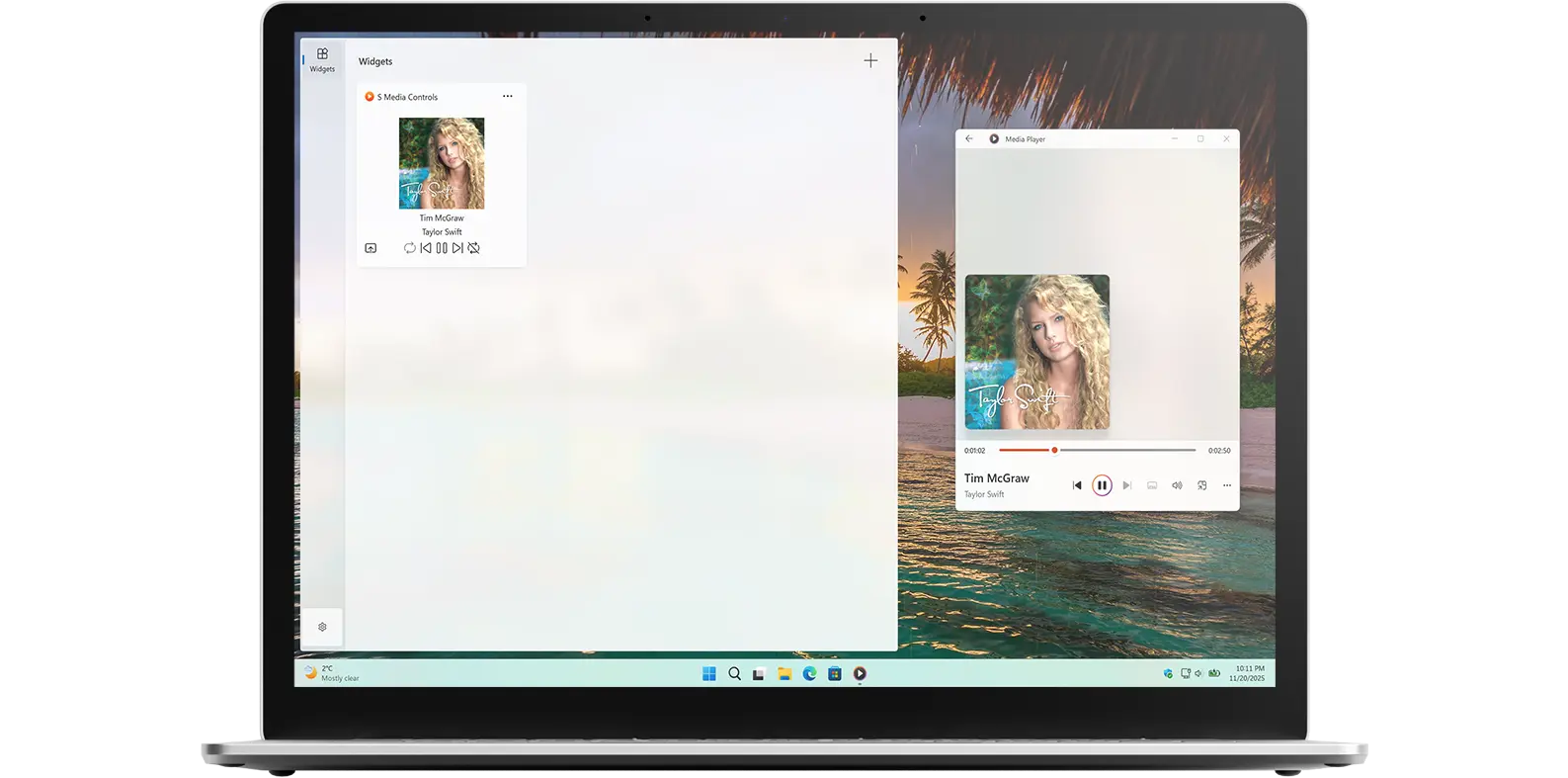
S Media Controls allows you to control your media from the app and the Windows 11 widget panel. So whether you are playing music from Spotify, Apple Music, or even offline media from your Media Player app, you can see the currently playing media title and artist name, making it easy to manage playback without switching apps.
Universal Remote
It is the universal remote for all your media. In addition to that, you can play, pause, go to the previous song, go to the next song, mute the audio, and open the media player application.
You can personalize the widget and choose the widget size you want to see in your Windows 11 Widget Board.
Download the S Media Controls app to control your music from Spotify, Apple Music, or even offline media in your media player. You can easily view the currently playing track, including the title and artist name. Get S Media Controls today and start playing anytime, anywhere!
Have questions about the S Media Controls app? Check out our FAQ section below for answers to common queries. If you need further assistance, feel free to contact our support team.
The S Media Controls app is a Windows 11 app and Windows 11 widget that you can control the current playing music from Spotify, Apple Music, or even offline media from your Media Player app. It is available for free on the Microsoft Store.
Yes, you can change the default media control in the S Media Controls widget. You can choose to Spotify, Apple Music, or the default local media player application.
Yes, you can customize the puzzle board size in the S Media Controls widget. The widget offers a bold and modern style. To access these options, click on the gear icon in the top-right corner of the widget. From there, you can select your preferred board size. So, feel free to customize it to your preference and make your media experience even more enjoyable!
Yes, the S Media Controls app window and Windows 11 widget is available for both light and dark mode.
Yes! You can also play the S Media Controls in the Windows 11 widget.