[Skip navigation links]
Stefan vd
macOS App

Work productively
for Mac users

Access all your favorite Office apps and your recently opened documents in a single panel, right from your Mac, so you can continue working where you left off.
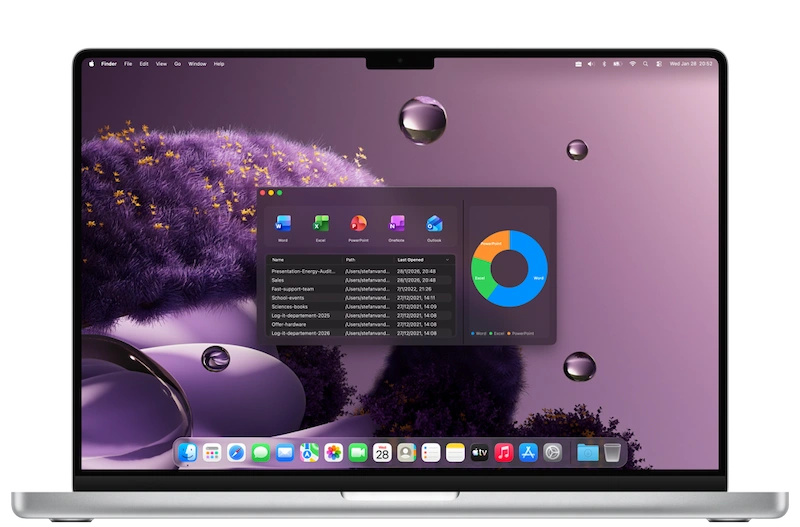
My Recent Documents app on all devices

What does this app do?

Access your recently opened documents quickly and easily.

My Recent Documents is a must-have application and widget for anyone looking to simplify computer use and boost productivity. It allows you to quickly access your recently opened documents without navigating through multiple folders or menus. High school and university students can easily continue working on files where they left off, whether that was yesterday or even last month.

Open the Office application

Besides the list of your recently opened documents, you can also open Microsoft Office applications directly from the app and widget. This includes direct access to Microsoft Word, Microsoft Excel, Microsoft PowerPoint, Microsoft OneNote, Microsoft Outlook, and Microsoft Teams.

Features

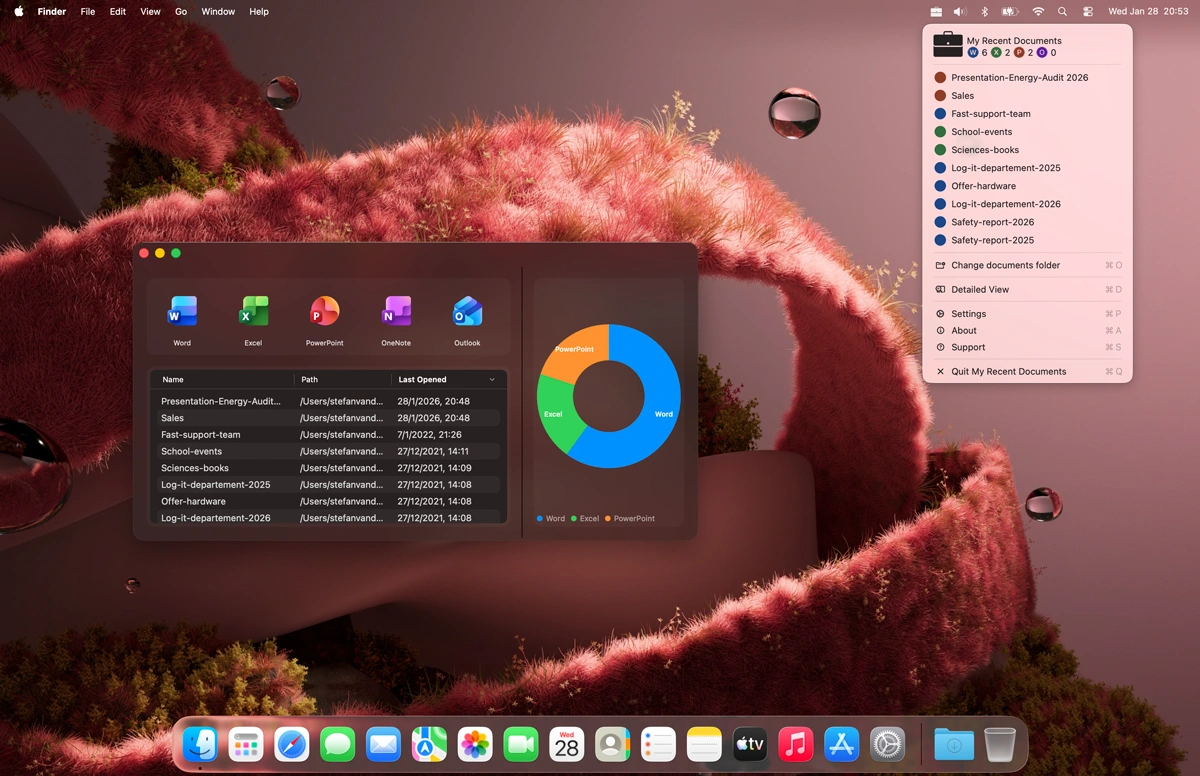
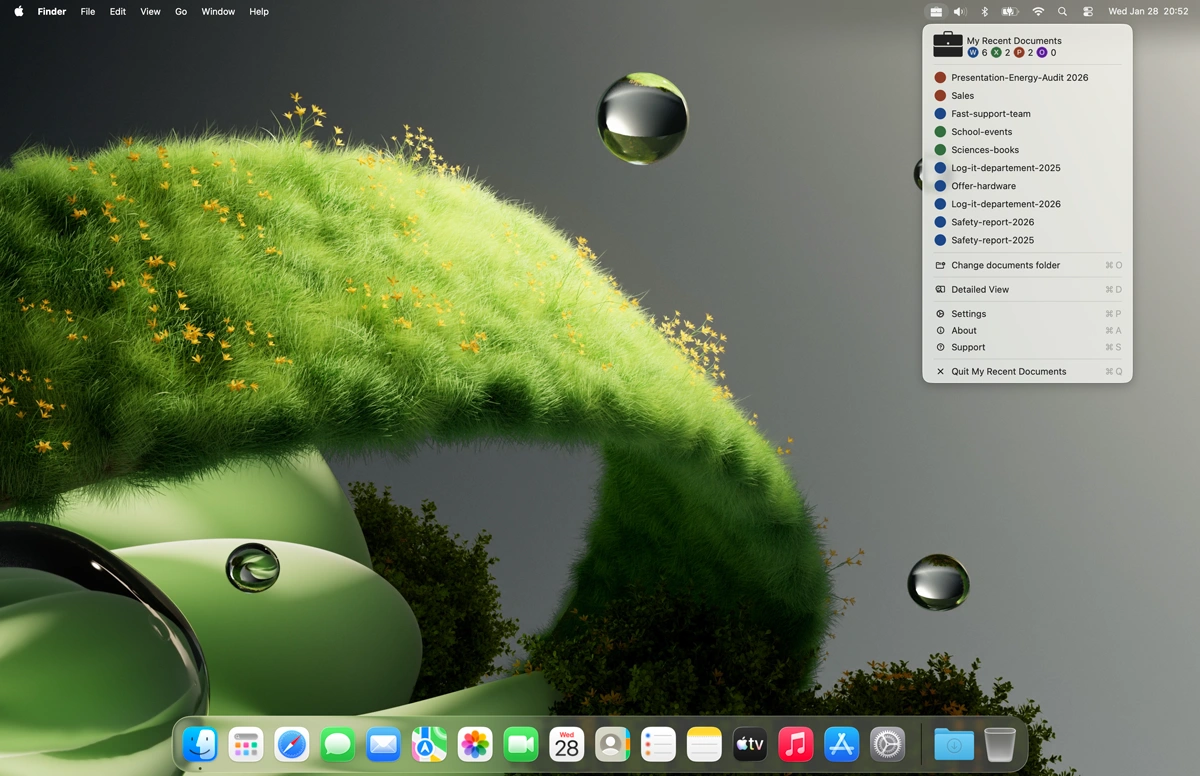
Apple menubar
Your recent documents accessible from the Apple Menubar panel
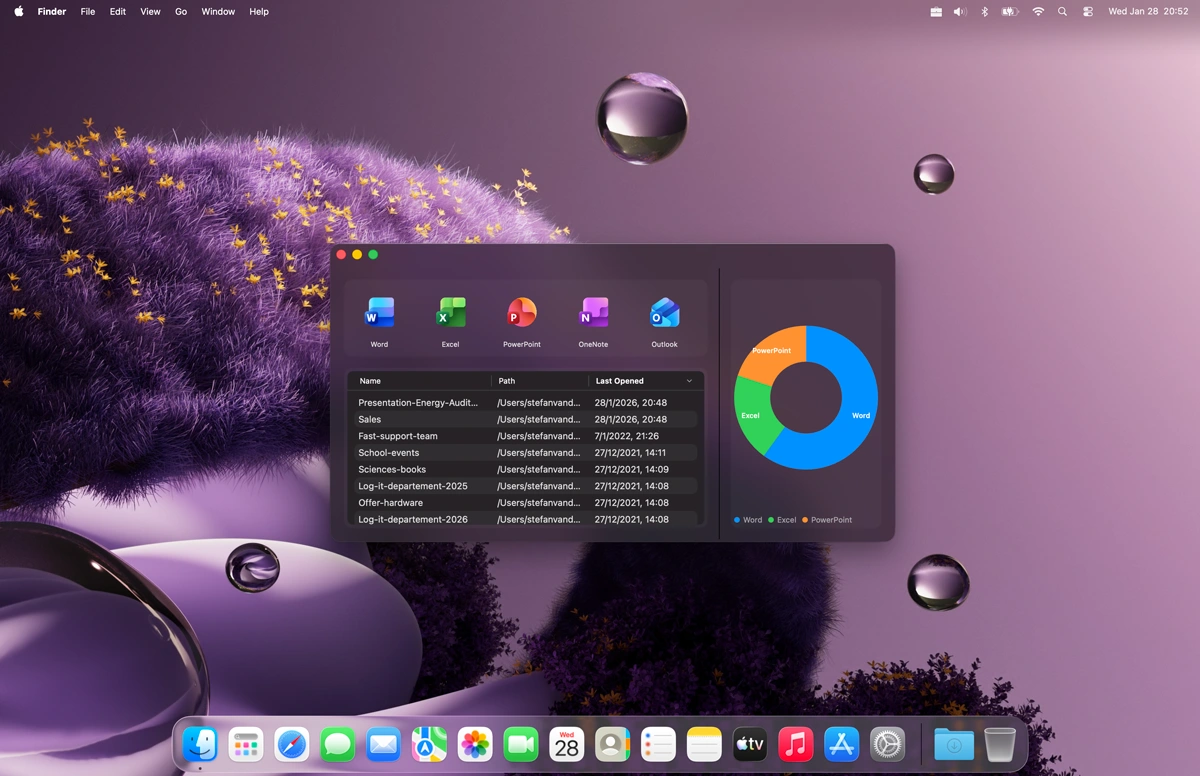
My Recent Documents application window
My Recent Documents app window and Apple menubar
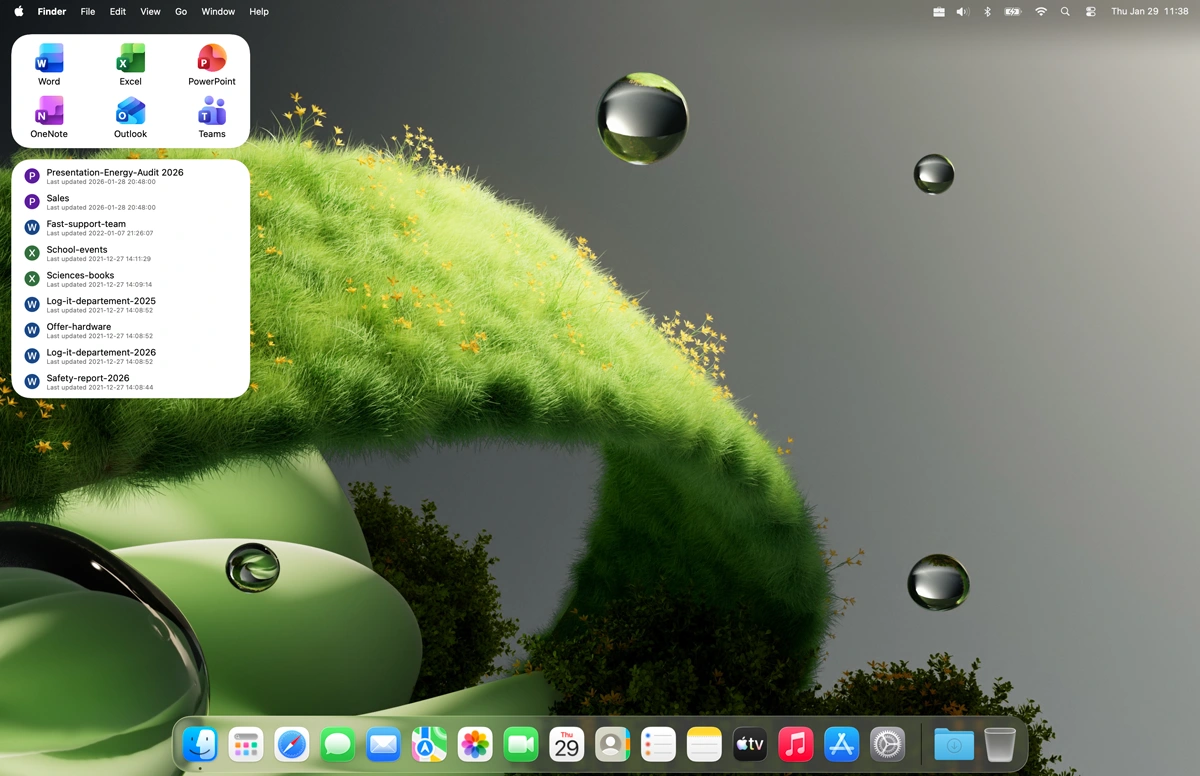
My Recent Documents widget light mode
My Recent Documents macOS widget in Light Mode
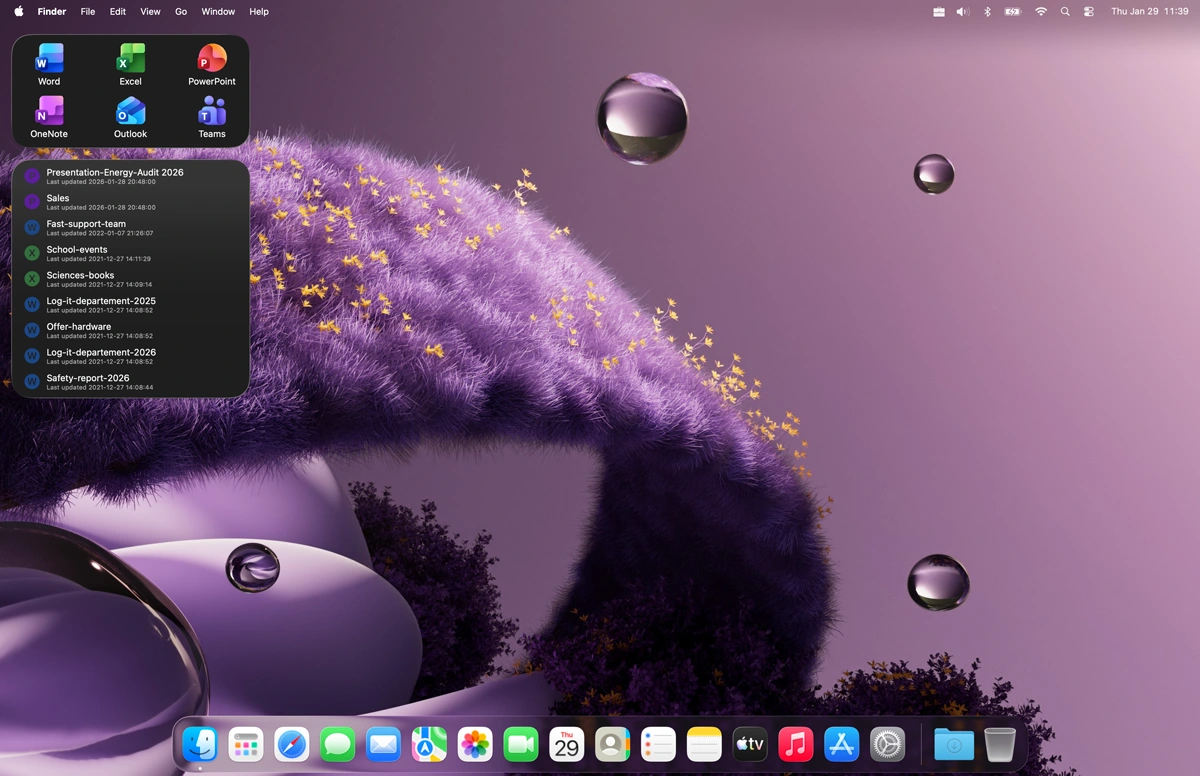
My Recent Documents widget dark mode
And it supports Dark Mode
1 /

Customizable

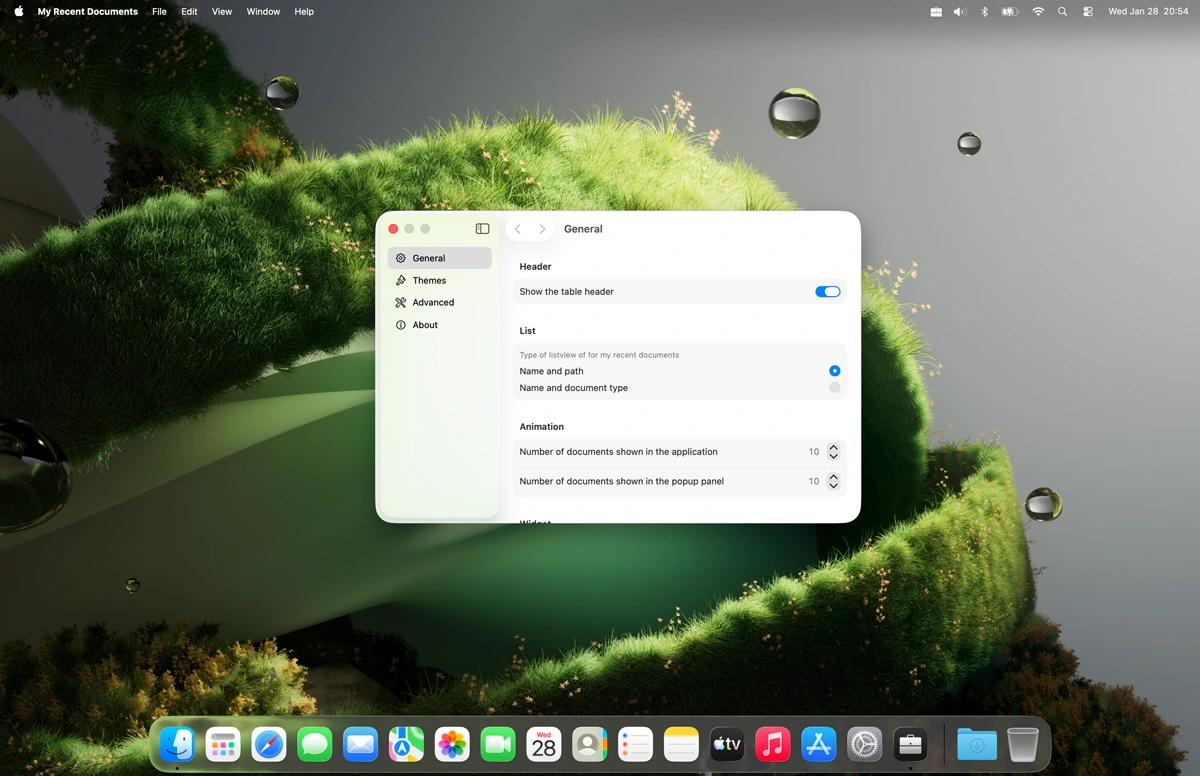
My Recent Documents settings window

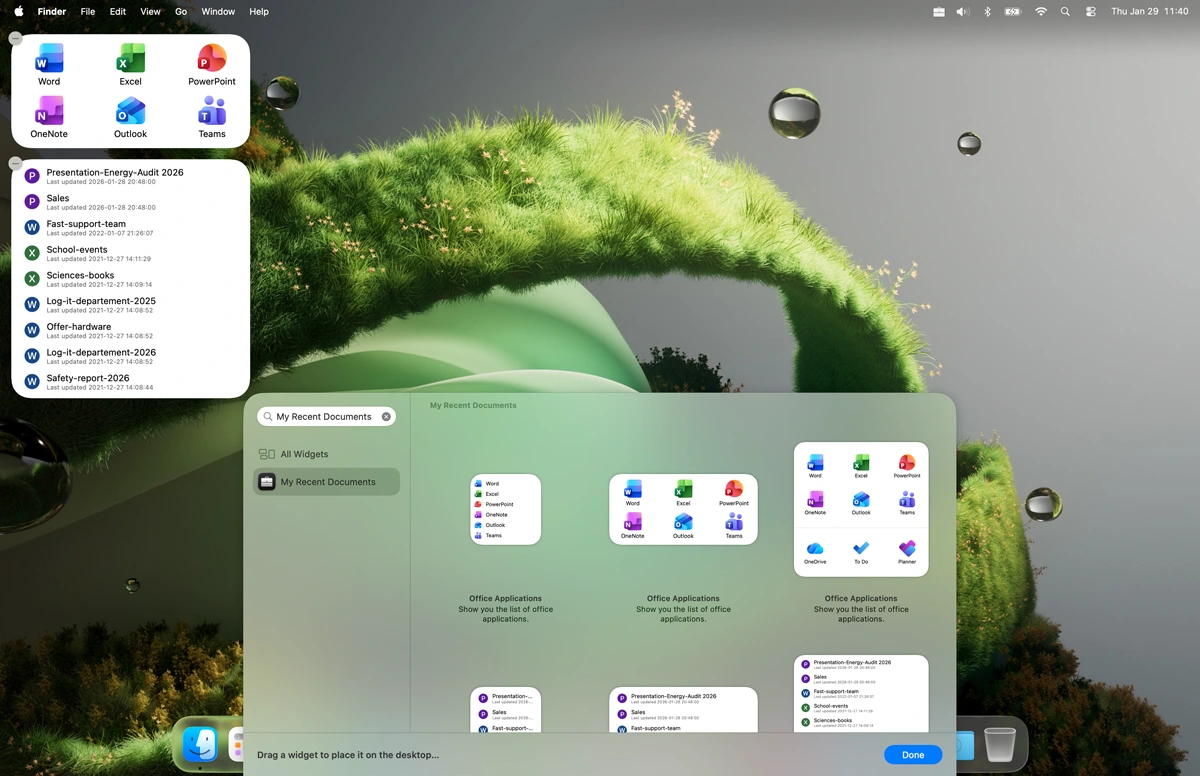
macOS Widgets

My Recent Documents macOS widgets

Overview number of document types

When you open the My Recent Documents floating panel on the apple menu bar, you will see the number for that specific document type. Such as W for Words, X for Excel, P for PowerPoint, and O for OneNote. With below your list of recent office documents. And with a single click it opens the corresponding document.
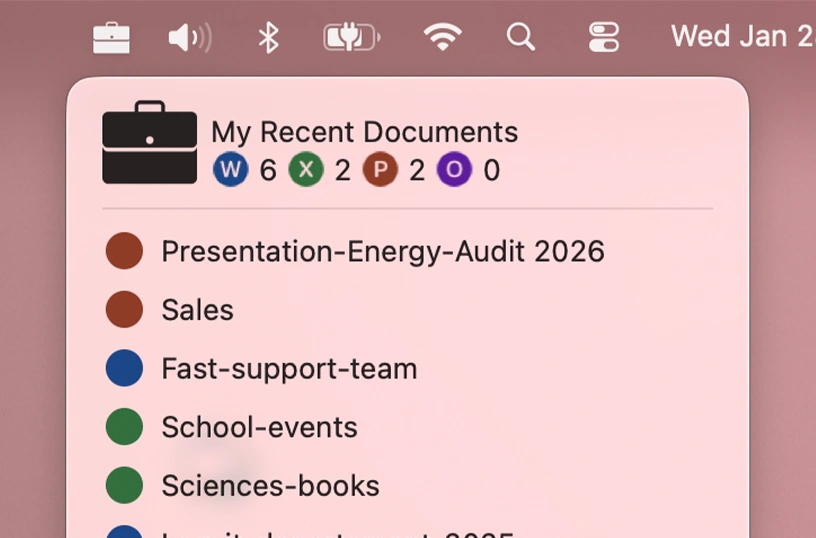
Get overview of numbers of office documents in the Apple menu bar

Pie Chart

In the application window you will see also the pie chart, to see an overview of how many files are Word, Excel, PowerPoint, and OneNote.
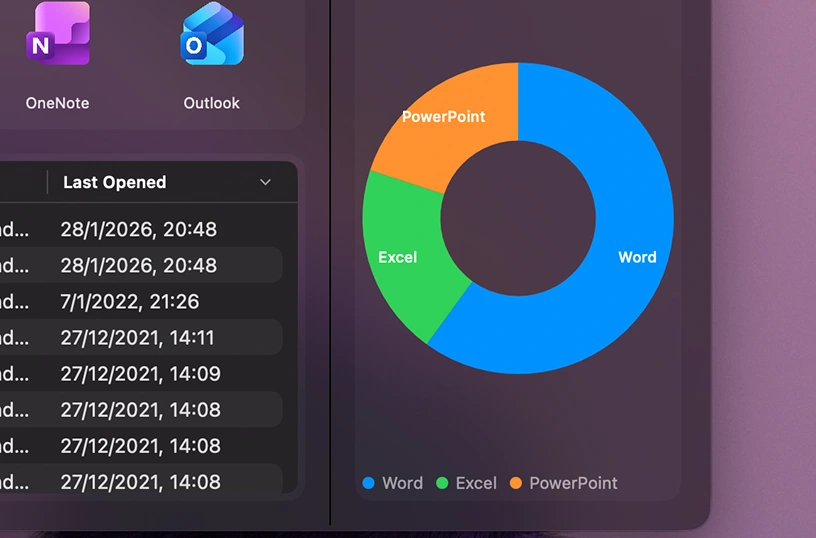
Pie chart showing document types

Get My Recent Documents app

Download the My Recent Documents app today and boost your productivity. Easily access your favorite app and website shortcuts through the app and the widget board. Get it now and discover how much time and effort you can save.

Get My Recent Documents from the Apple Mac App Store
Compatible with macOS 15.